Architecture
Workflow → Flows
Learn how a workflow is converted into its visual representation.
The Structure of a Workflow View
When a workflow state is converted into its visual representation, the result always takes a predictable shape. This is because the visual representation follows a specific structure.
At its most basic level, the workflow can be seen as a sequence of nodes.

At certain points, a node can create a fork, where the flow branches into multiple paths, with each path acting as a separate flow that eventually merges back into the main one.
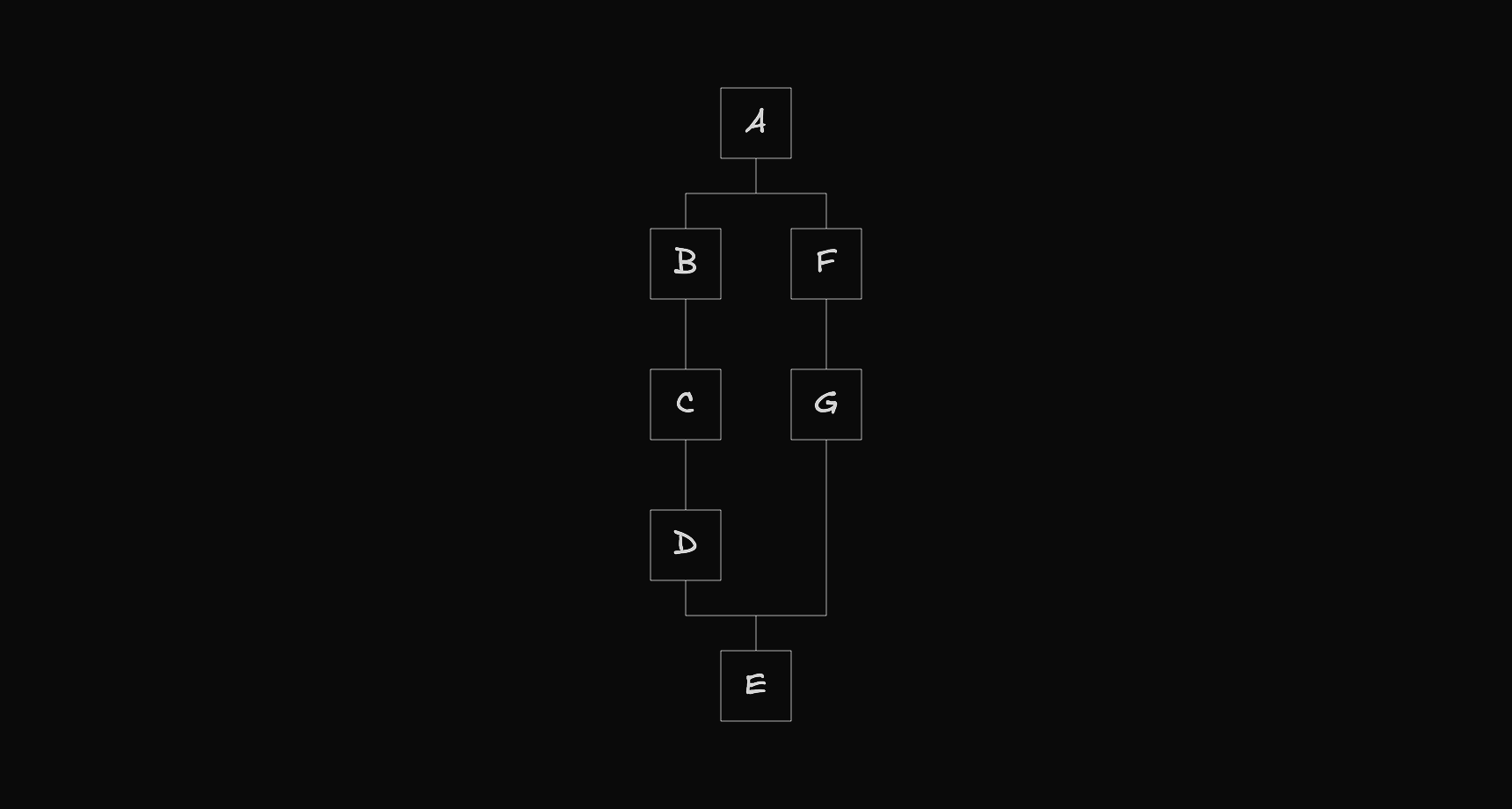
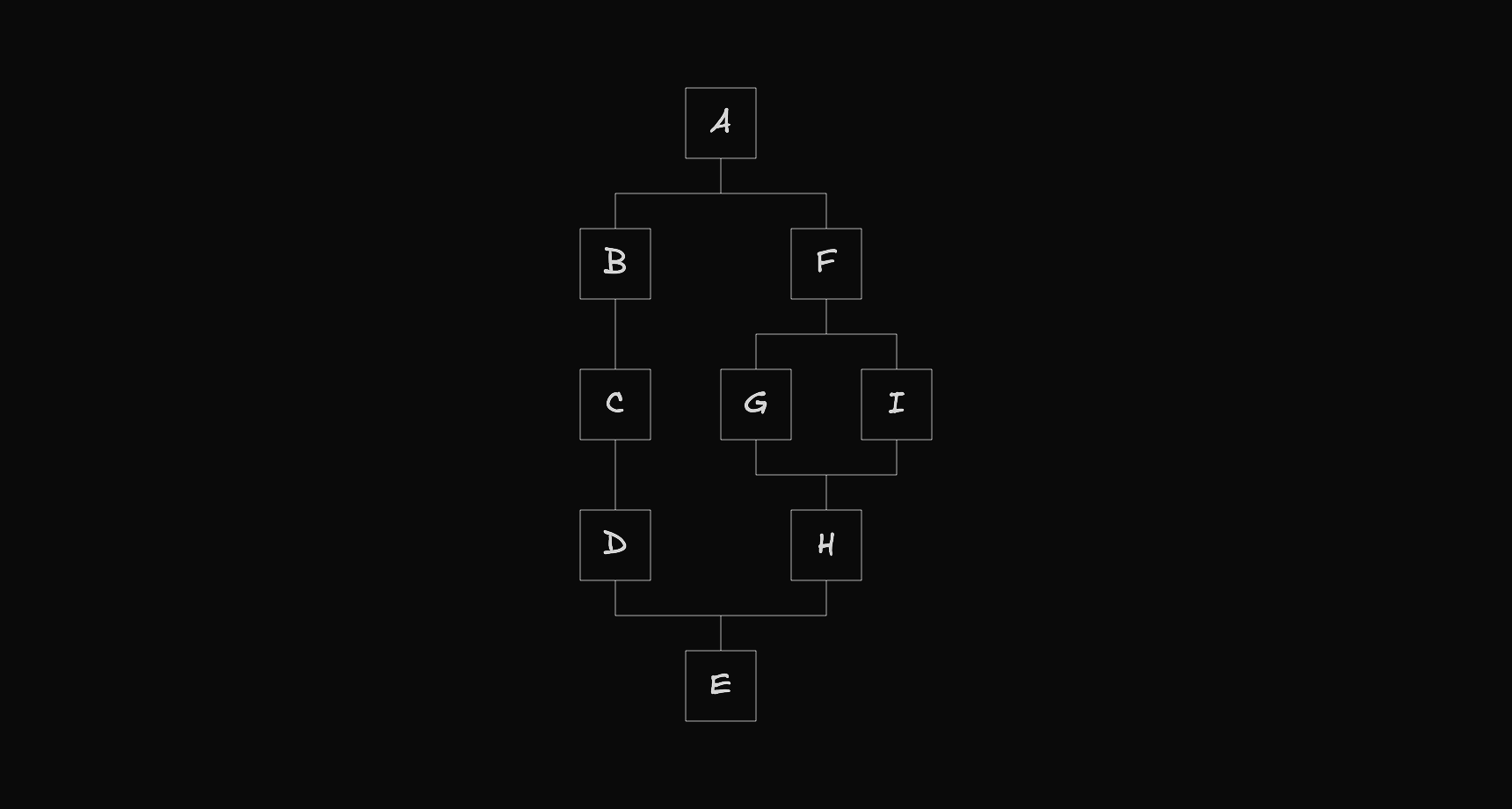
Since each path is itself a flow, it can also create its own fork, forming a recursive structure.
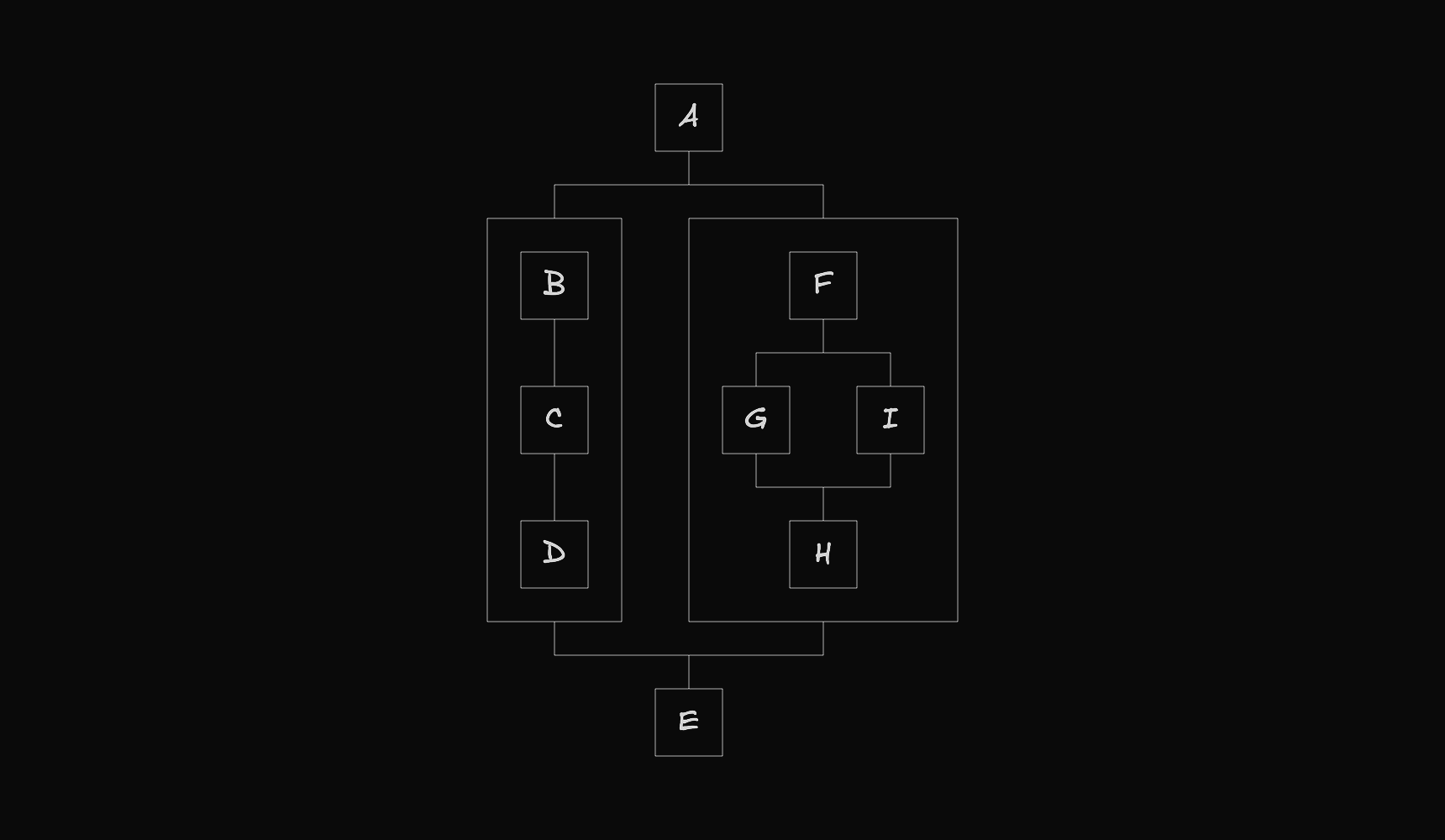
Some nodes also act as containers, holding nested flows that follow the same structure.
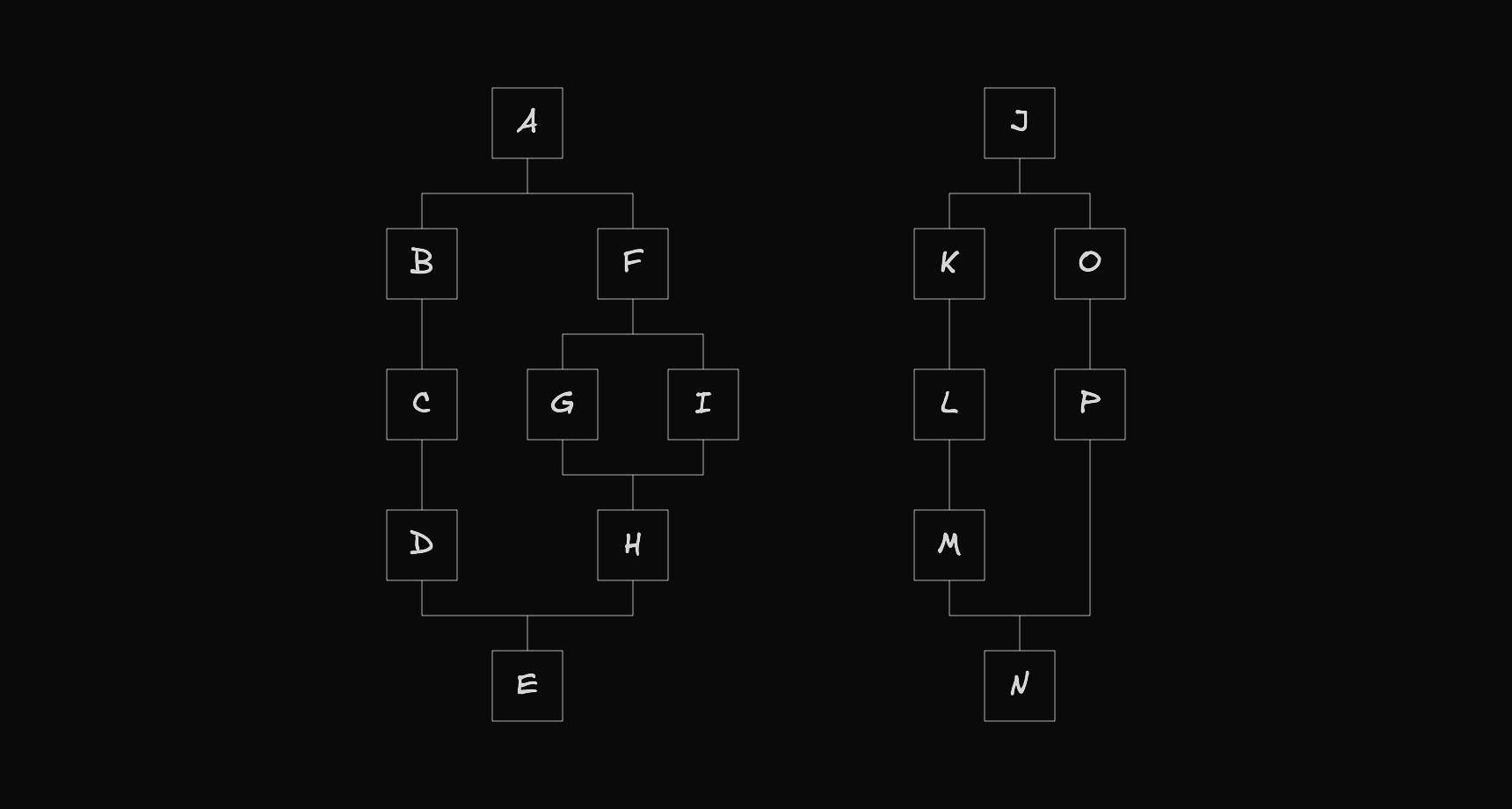
Finally, a workflow view representation can also include multiple top-level flows.
The Code of a Workflow View
The visual representation of a workflow is defined using the Flows type.
// src/shared/lib/flows/types/flows.ts

// ...

export interface Flows<T extends NodeEntity, U extends EdgeEntity> {
  roots: FlowNode<T, U>[];
  nodes: Map<string, FlowNode<T, U>>;
}

// ...
It has two properties:
roots: The list of root nodes, one per flow.nodes: A map of each node's id to the node itself.
The workflowView function below returns an object of this type.
// src/shared/kits/workflow/mvc/view/view/index.ts

// ...

export function workflowView(
  workflow: Workflow,
  onWorkflowChange: OnWorkflowChange,
): TypedFlows {
  const map = new Map<string, TypedFlowNode>();
  const flow = flowView({ workflow, map, onWorkflowChange });
  const drag = dragView({ workflow, map });
  if (drag) return { roots: [flow, drag], nodes: map };
  return { roots: [flow], nodes: map };
}
The following file shows how the nodes are created and connected.
// src/shared/kits/workflow/mvc/view/view/flow-view/element/action.ts

// ...

export function actionView(
  element: ActionFlow,
  options: Options,
): [TypedFlowNode, TypedFlowNode] {
  const dragging = isDragging(element, options.dragging);

  const block: TypedFlowComponent = {
    id: `${element.id}/flow/block`,
    type: "component",
    entity: {
      type: "elementType/action/flow/block",
      meta: {
        type: "elementType",
        elementType: "action",
        mode: "flow",
        item: "block",
        id: element.id,
        dropArea: false,
      },
      data: {
        drag: dragging,
        text: element.message,
        failure: actionFailure(element, options),
        onRemove: () => {
          options.onWorkflowChange([
            {
              type: "element",
              change: "remove",
              id: element.id,
            },
          ]);
        },
      },
    },
    selected: isSelected(`${element.id}/flow/block`, options.active),
    position: {
      x: 0,
      y: 0,
    },
    positionAbsolute: {
      x: 0,
      y: 0,
    },
    size: {
      w: constants.workflow.node.block.w,
      h: constants.workflow.node.block.h.md,
    },
    gaps: {
      next: 0,
    },
    next: [],
    prev: [],
    parent: options.parent,
  };

  options.map.set(block.id, block);

  const addNext: TypedFlowComponent = {
    id: `${element.id}/flow/addNext`,
    type: "component",
    entity: {
      type: "elementType/action/flow/addNext",
      meta: {
        type: "elementType",
        elementType: "action",
        mode: "flow",
        item: "addNext",
        id: element.id,
        dropArea: true,
      },
      data: {
        drag: dragging,
        drop: element.dropNext.size > 0,
      },
    },
    selected: isSelected(`${element.id}/flow/addNext`, options.active),
    position: {
      x: 0,
      y: 0,
    },
    positionAbsolute: {
      x: 0,
      y: 0,
    },
    size: {
      w: constants.workflow.node.add.size.w,
      h: constants.workflow.node.add.size.h,
    },
    gaps: {
      next: 0,
    },
    next: [],
    prev: [],
    parent: options.parent,
  };

  options.map.set(addNext.id, addNext);

  const blockToAddNext: TypedFlowEdge = {
    id: `${block.id}-${addNext.id}`,
    entity: { type: "flow/line", data: { drag: dragging } },
    length: constants.workflow.edge.sm,
    source: block,
    target: addNext,
  };

  block.next.push({ edge: blockToAddNext, node: addNext });
  addNext.prev.push({ edge: blockToAddNext, node: block });

  return [block, addNext];
}

// ...
The Auto Layout Algorithm
As you may have noticed in the code above, node positions are not set explicitly. A dedicated function computes them automatically, and the following file shows where it is called.
// src/shared/kits/workflow/mvc/view/view/flow-view/index.ts

// ...

export function flowView(options: Options): TypedFlowNode {
  // ...

  autoLayout(start);

  return start;
}

// ...
If you want to learn how the algorithm works, you can visit the following link, which explains the main reasoning behind how node positions are computed.