Building It Step By Step
Drag and Drop Functionality
Learn how to add drag and drop functionality to move elements freely within the workflow.
Getting Started
Navigate to the corresponding folder:
cd step-5-drag-and-drop
Install the dependencies:
npm install
Then run the project:
npm run dev
Drag and Drop Properties
Drag and drop interactions are represented in the workflow through two types of properties:
draggingproperties: Exist on each element and store whether that element is currently being dragged and its location at that moment.dropproperties: Exist across the different workflow types and store the id of any dragged element that is near that drop area.
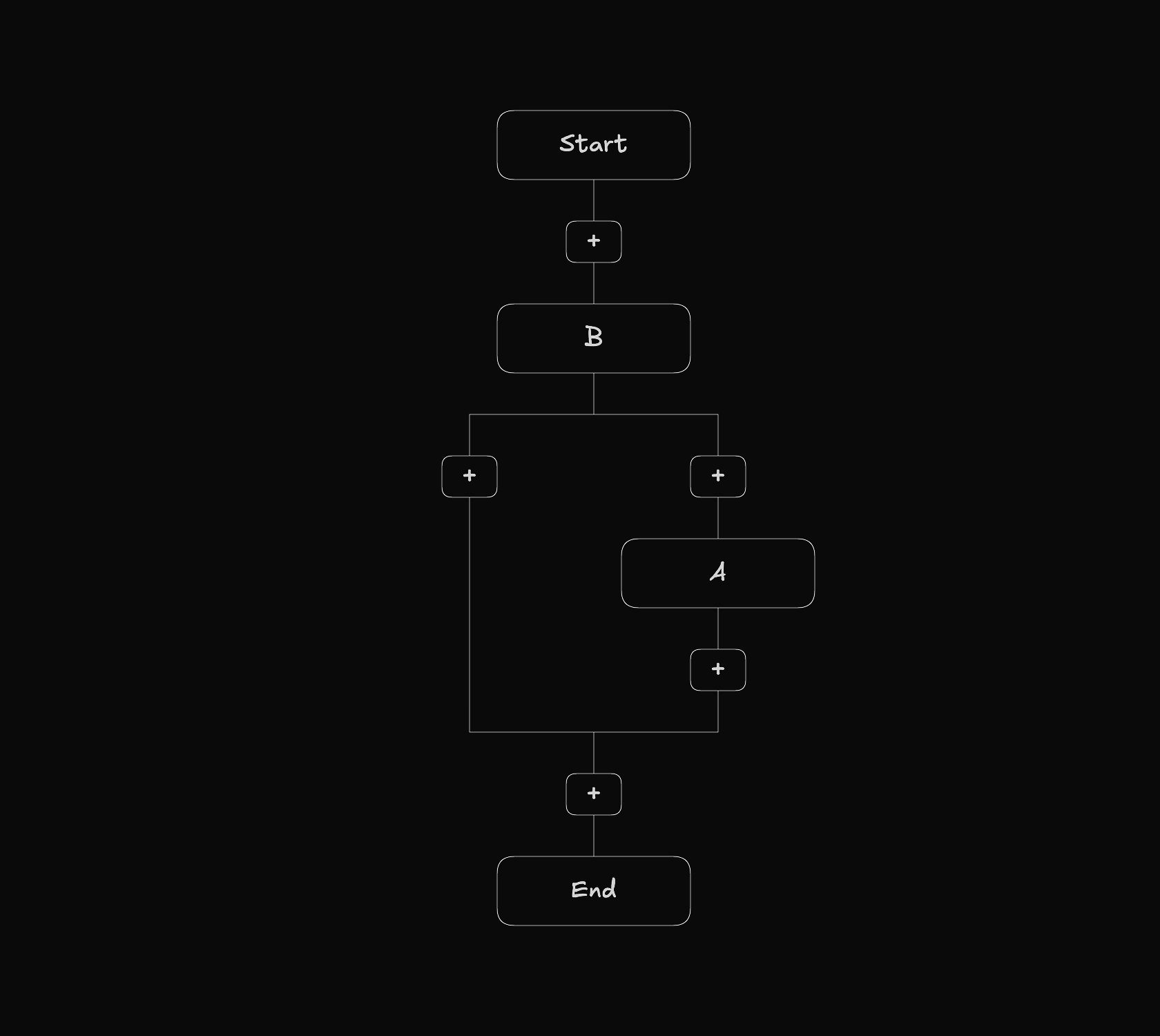
To understand how that works take a look at the following image.
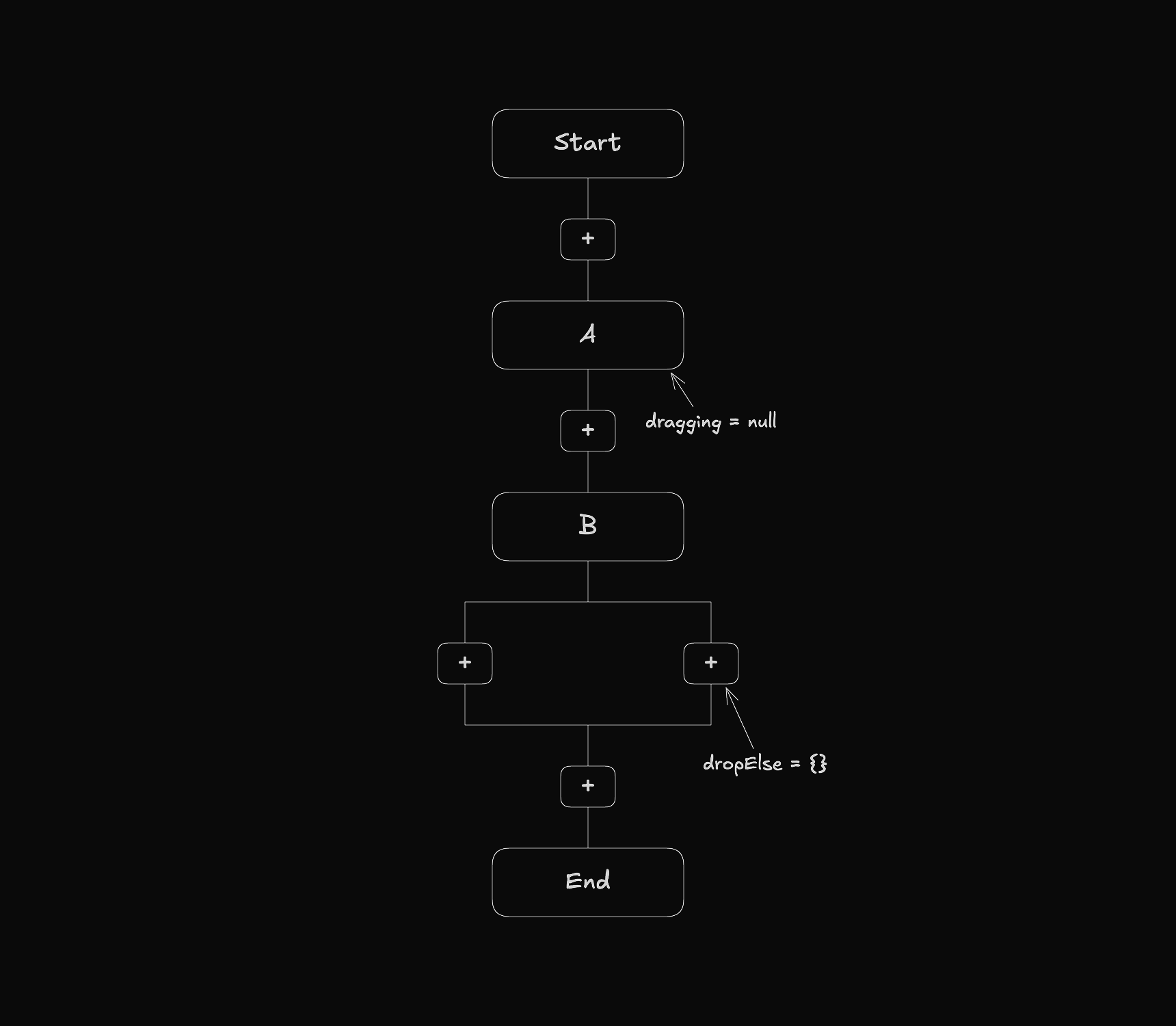
When an element is being moved, the dragging property updates to reflect that.
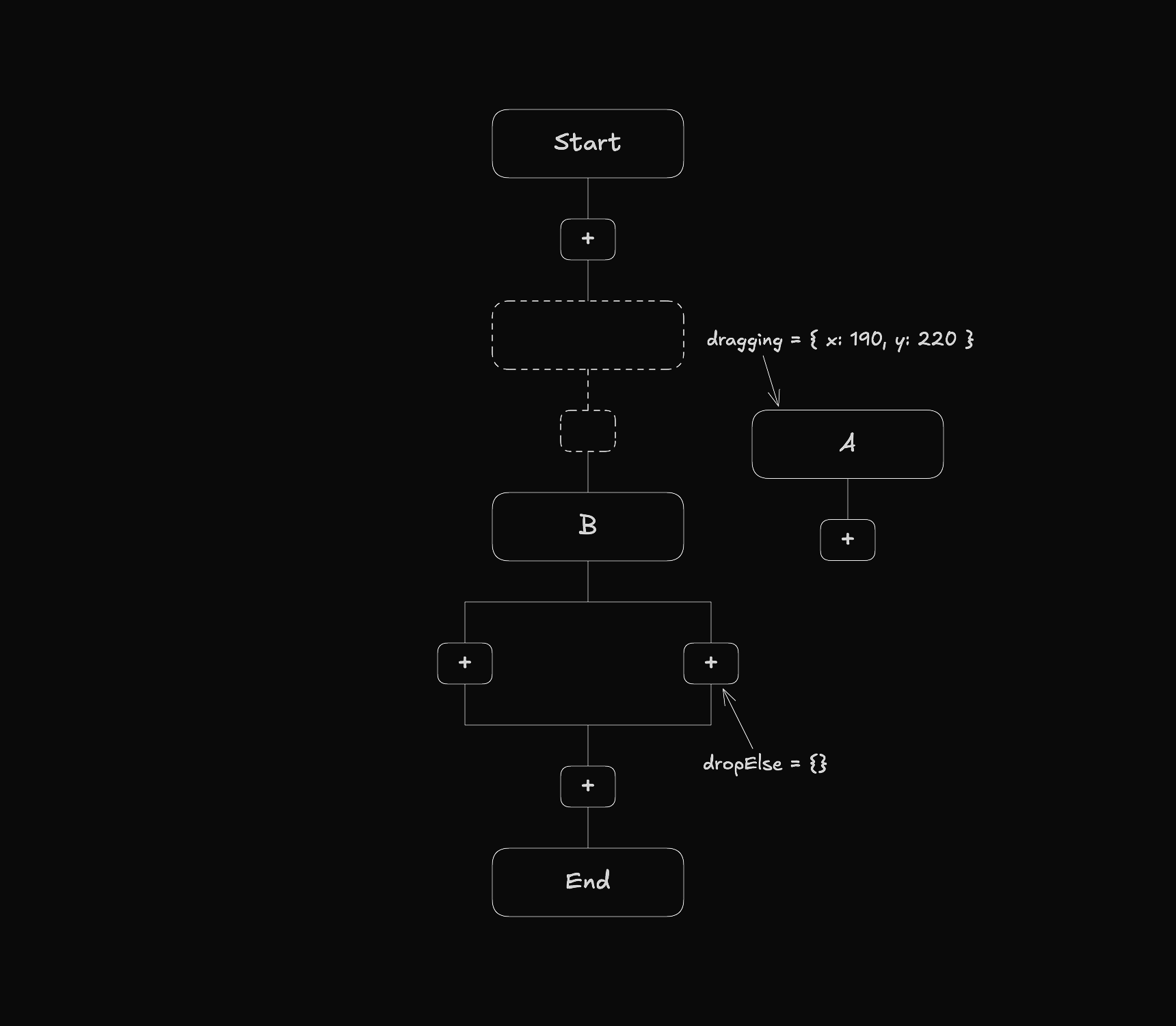
When an element gets close to a drop area, the corresponding drop property stores its id.
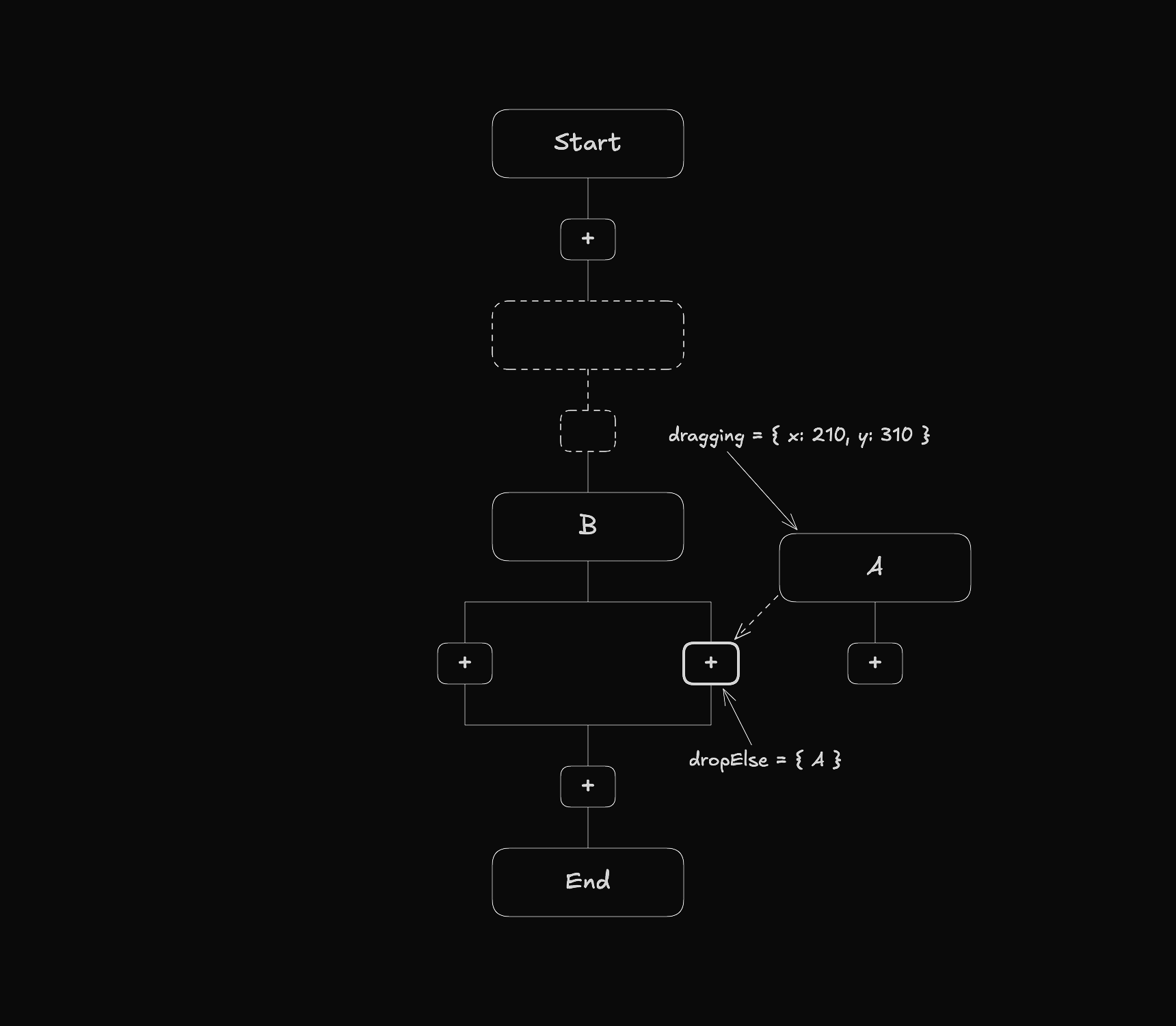
When the element is released, it is placed at the position of the drop area.
Entering and Leaving Drop Areas
In the workflow view, nodes can either act as drop areas or not. To represent this information each node has a dropArea boolean property.
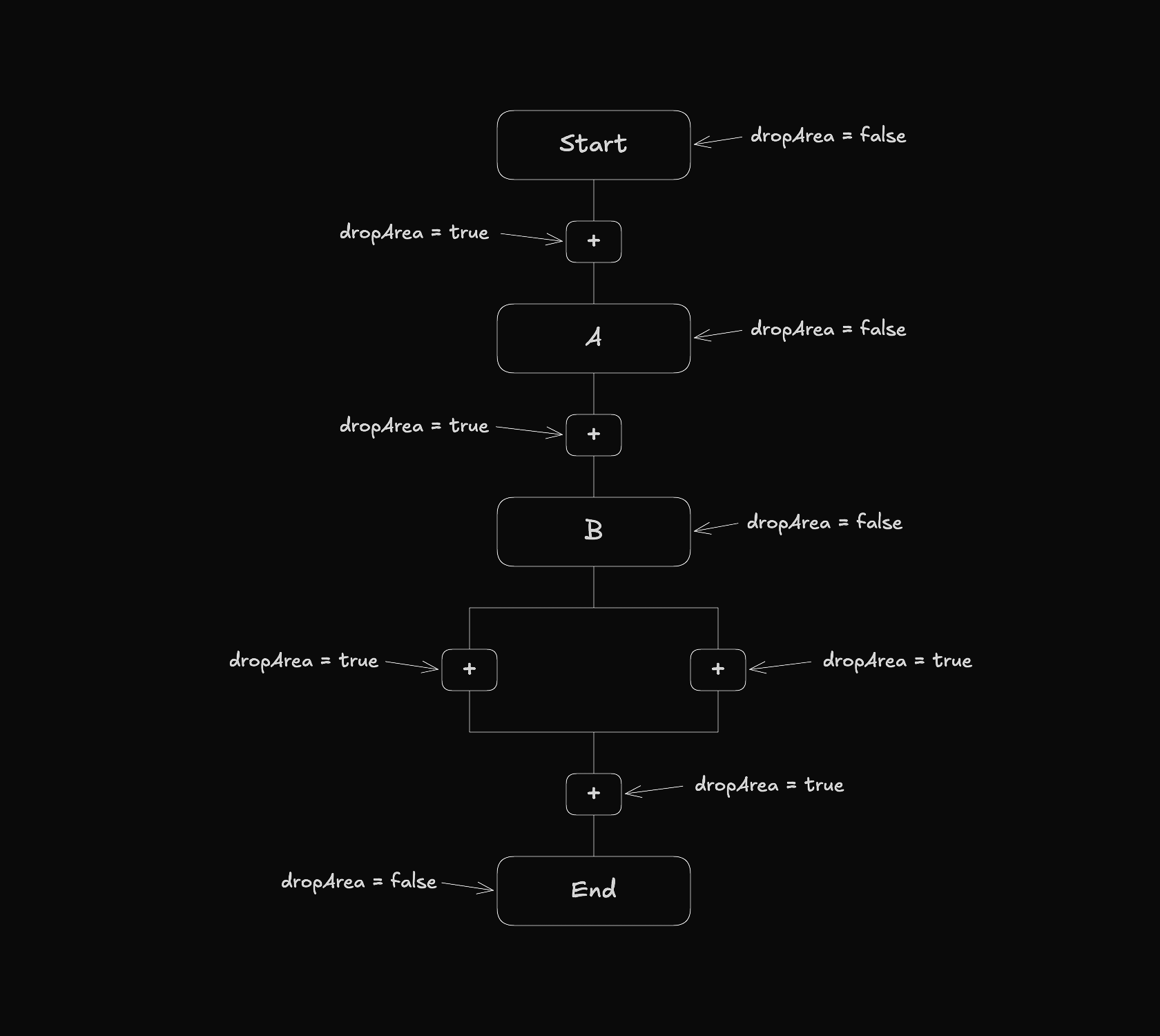
To detect when an element enters a drop area, the system checks the dropArea property of each node and finds the nearest drop area within range.
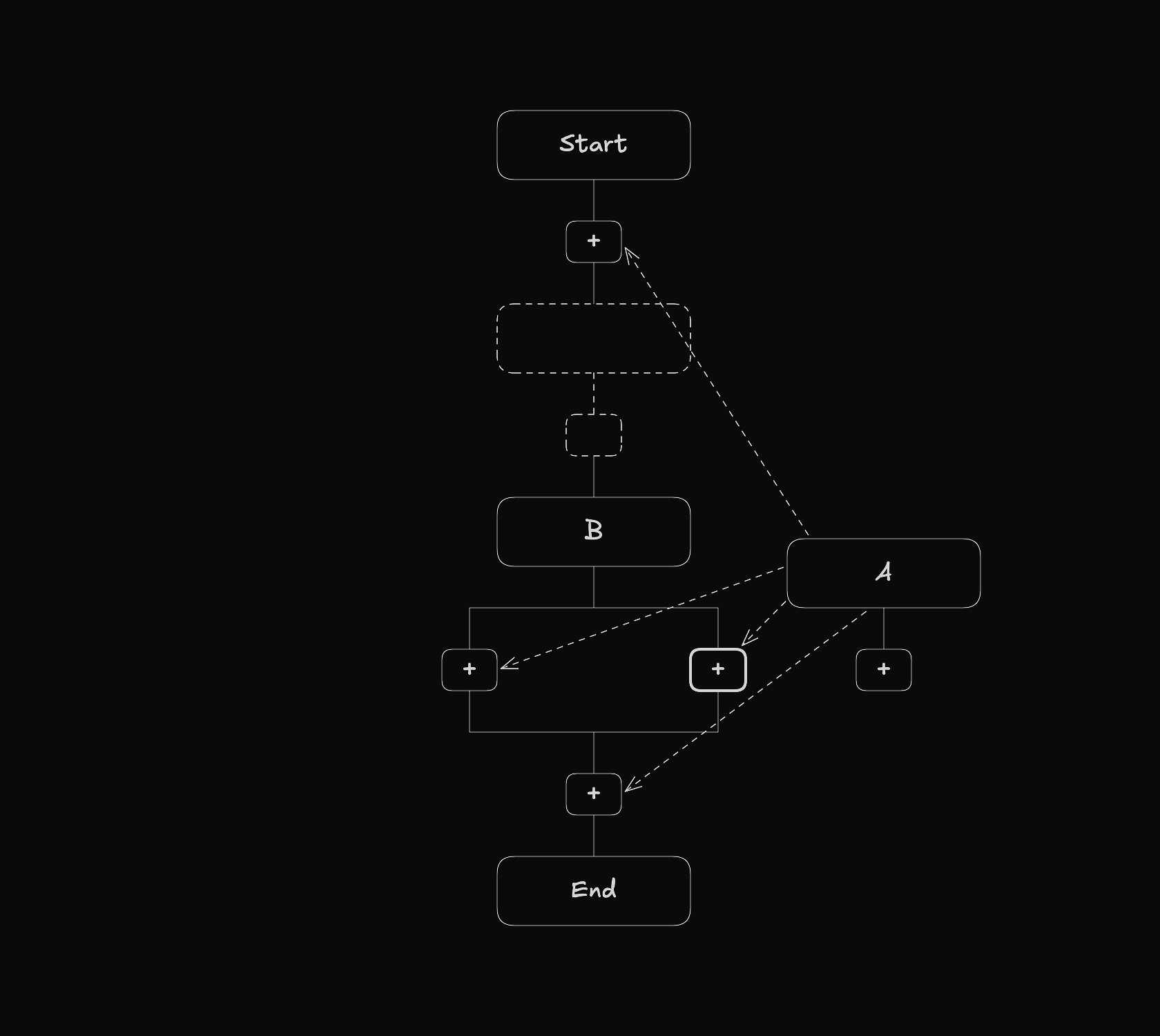
The following file implements this functionality.
// src/shared/kits/workflow/mvc/controller/utils/index.ts

// ...

export function createDropAreaChanges(
  node: TypedFlowNode,
  position: {
    x: number;
    y: number;
  },
  workflow: Workflow,
  flows: TypedFlows,
): WorkflowChange[] {
  const id = node.entity.meta.id;
  const changes: WorkflowChange[] = [];
  const currentDropArea = WorkflowUtils.dropArea(workflow, id);
  if (currentDropArea) {
    changes.push(createLeaveDropAreaChange(currentDropArea, id));
  }
  const closestNode = getClosestDropAreaNode(node, position, workflow, flows);
  if (closestNode) {
    changes.push(createEnterDropAreaChange(closestNode, id));
  }
  return changes;
}

// ...
On every drag change, it first checks if the element is currently in a drop area and exits it if so. It then finds the nearest drop area within a specific range and enters it if one is found.